How to check whether active contractors have valid induction records
A certificate can look current and still belong to the wrong employer or module. Test the audit roster against the evidence register on the audit date, using the rules your organisation supplied.
The spreadsheet check
1. Join on worker ID, employer and required module. Confirm the keys are unique at the required grain or choose the documented record version.
2. Compare the issue and expiry dates with the audit date. Record a valid match, expired evidence, no matching evidence or a date exception.
3. Keep the pending cases in a separate list with the row references and the record you need to resolve each one.
Worked example
These rows are fictional. Paste the supplied CSV tables at A1 on sheets with the names shown.
Roster
WorkerID,Company,RequiredModule
W1,C1,SITE
W2,C1,SITE
W3,C2,SITE
Evidence
WorkerID,Company,Module,Issued,ValidThrough
W1,C1,SITE,2026-10-01,2026-11-25
W2,C1,SITE,2026-10-01,2026-12-03
W3,C1,SITE,2026-10-01,2026-12-03
Rules
AsOf,Expiry rule
2026-11-26,Valid through listed date inclusive
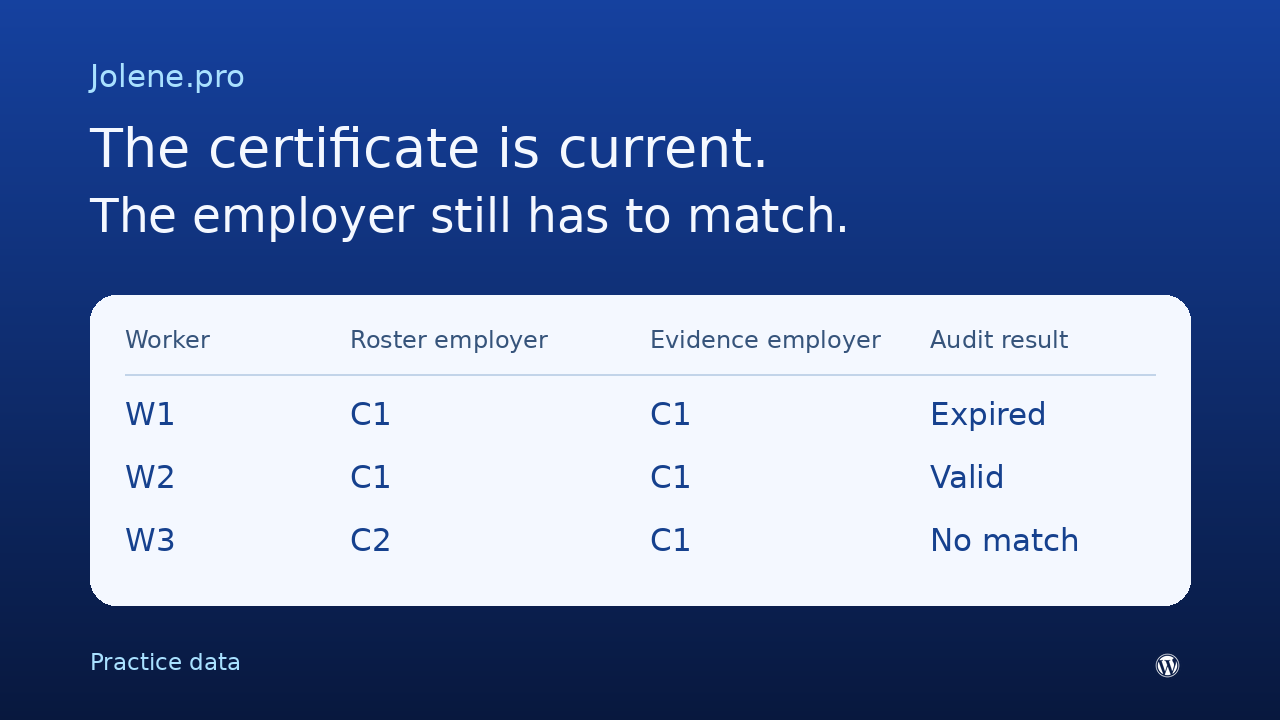
W1 expired, W2 valid, and W3 has no matching evidence for C2. Check Roster!A2:C4, Evidence!A2:E4 and Rules!A2:B2. The same worker ID at another employer is not a match.
Source
Public SSOMA request and replies ask for certificates, expiry tracking and exportable audit evidence. This guide covers the records check only.