What Is Jolene.pro? Spreadsheet Analysis With Source-Cell References
What is Jolene.pro
Jolene.pro is an AI spreadsheet analysis tool for Excel and CSV files. It helps you investigate data across sheets and separate tables, get answers with source-cell references, and save analyses to repeat when the next file arrives.
It’s built for the moment after you get a number: when someone asks where it came from.
Usually during the meeting.
Getting an answer is useful. Being able to inspect the records behind it makes that answer easier to check, explain, and use.
How does Jolene.pro work?
Add an Excel workbook or CSV file, then ask a question about the data. Jolene.pro also suggests questions to help you get started.
You might ask which customers contributed most to a sales increase, which invoices need review, or where actual spending differs from the budget.
For Excel workbooks, analysis can span multiple sheets and separate tables within a sheet. Use @sheet to focus on one sheet or the Scope selector to include several sheets in the same conversation.
Answers include references to the source cells, rows, and sheets used in the analysis. Optional charts help explain patterns or comparisons.
What are source-cell references?
Source-cell references identify the locations in your spreadsheet that support an answer.
Suppose an analysis reports a decline in sales for one customer. References let you inspect the underlying records and check the dates, amounts, and customer details before explaining the change.
They also help you ask a more useful follow-up. Instead of stopping at “sales fell,” you can investigate which orders, products, or periods contributed to the decline.
An example across two sheets
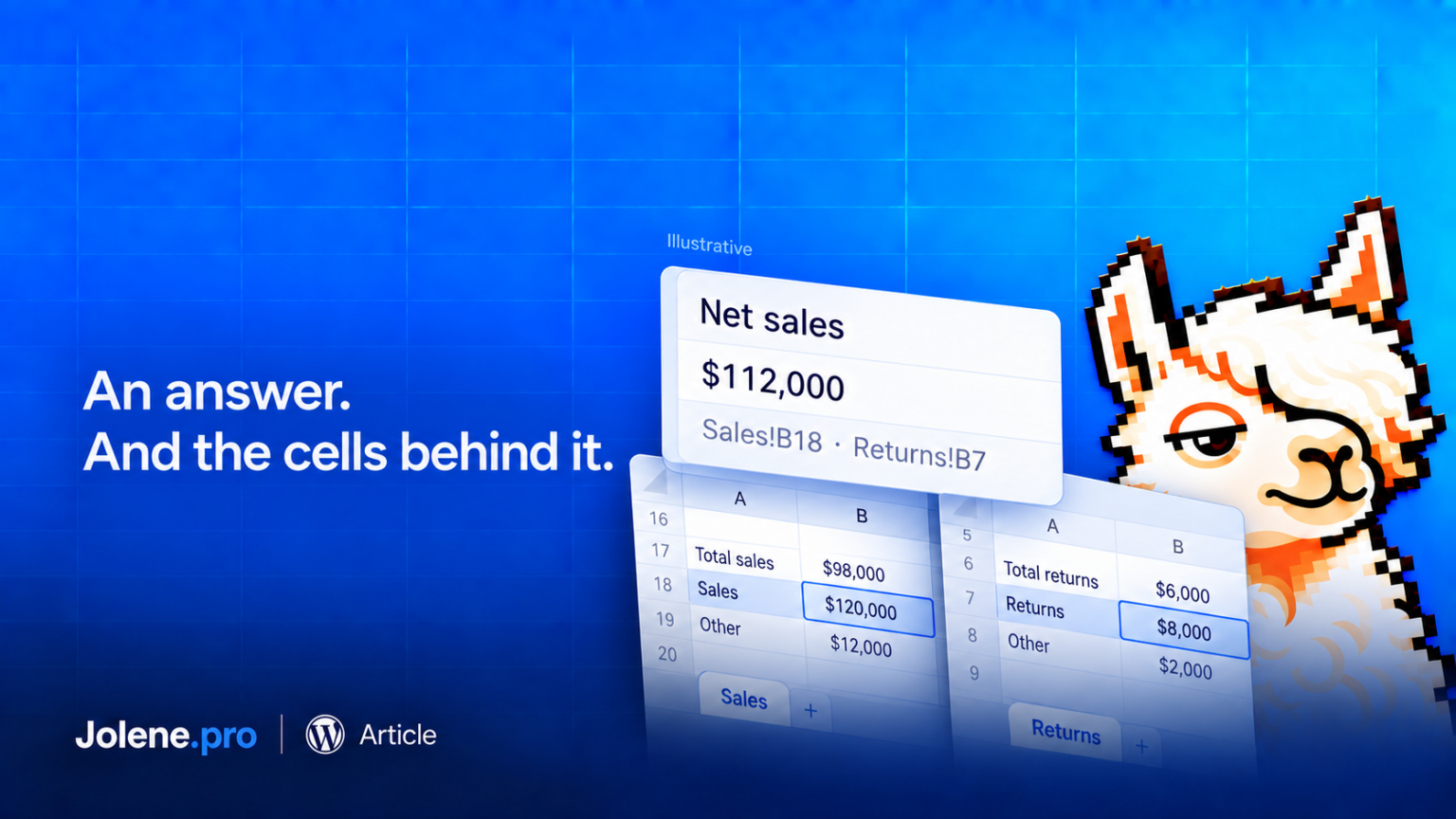
Consider a fictional workbook with $120,000 in September sales on a Sales sheet and $8,000 in September returns on a Returns sheet.
For this example, define net sales as those sales minus those returns, with no other adjustments. The expected result is $112,000.
A useful question would be:
“Calculate September net sales using the Sales and Returns sheets. Show both totals and the source records behind them.”
The result needs to include the relevant records from both sheets. You can then inspect the references and confirm that the dates and treatment of returns match your reporting rules.
What happens next month?
Save the analysis and add the next month’s workbook in the same chat to run it again.
Saved queries remain available when sheet or column names change, and Jolene.pro warns when the workbook structure differs. Review those changes before using the new result.
Who is Jolene.pro for?
Jolene.pro is designed for finance, operations, sales, consulting, and management teams that regularly need to explain spreadsheet data.
For practical starting points, read our guides to finding duplicates in Excel and understanding budget-versus-actual differences.
Or try Jolene.pro with one workbook and a question you already need answered. Start with a familiar total, inspect its source references, and take the next question from there. 🦙
Jolene.pro analyzes Excel and CSV files with source-cell references. Explore multi-sheet analysis, optional charts, and saved analyses for recurring reports.
1 comment