How to check whether a Shopify SKU change reached the warehouse
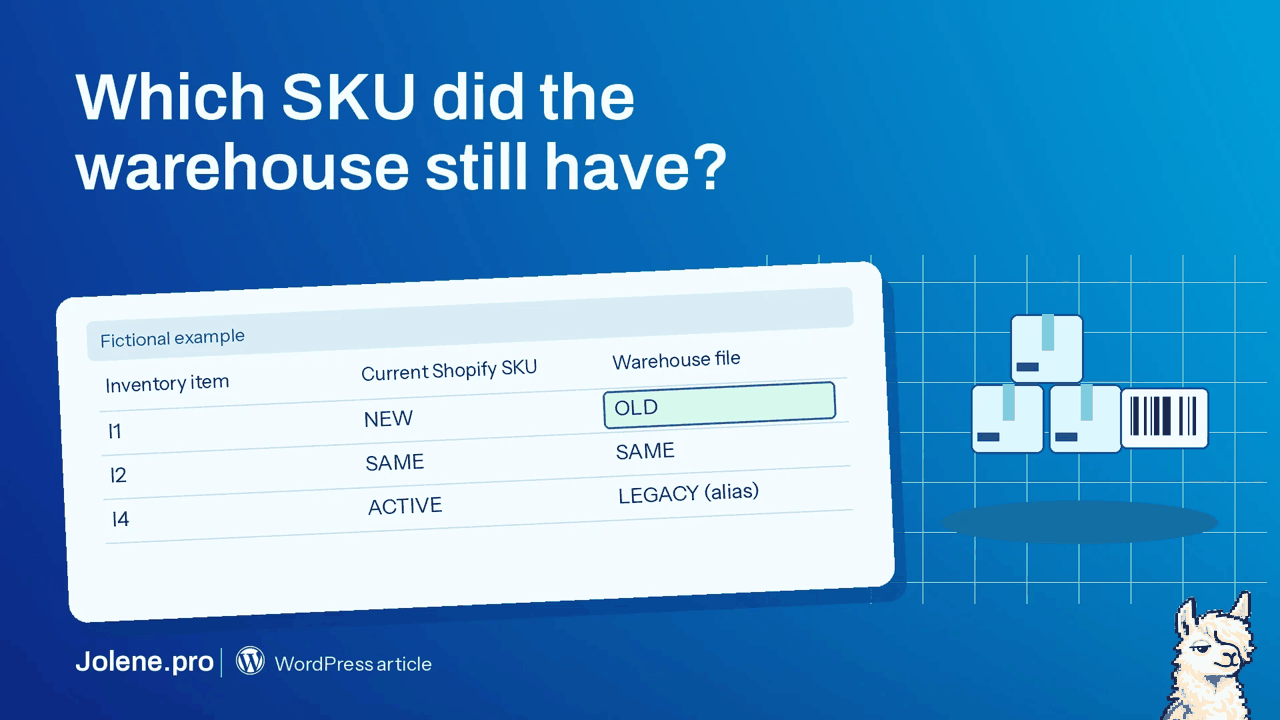
Compare the last approved Shopify export with the warehouse’s latest confirmed readback after a change. In this fictional check I1 still has its old SKU after the refresh. An approved alias and an older warehouse file each need separate treatment.
How to check your records
- Save the existing and approved current SKUs with the stable inventory item ID. If the warehouse uses another ID, document and review its mapping to the source item.
- Confirm that the warehouse export includes the refresh after the change. Compare the warehouse SKU with the approved SKU for each matched item, and keep aliases on their own reviewed list.
- Flag a stale SKU only when the warehouse still shows the previous value after the required refresh, the item match is confirmed and no alias covers the difference. Leave older captures and unmatched records open.
Worked example with fictional records
Import each example CSV into its own spreadsheet tab. Keep the original row order and headers for the cell references below.
| Finding | Record or amount | Cells to check | What the records show |
|---|---|---|---|
| Stale after refresh | I1. NEW expected, OLD shown | Before!A2:B2, Current!A2:B2, Warehouse!A2:C2 | The confirmed warehouse refresh still shows the old value. |
| Matches | I2. SAME in both | Current!A3:B3, Warehouse!A3:C3 | The warehouse value matches. |
| Approved alias | I4. LEGACY is valid for ACTIVE | Current!A5:B5, Warehouse!A4:C4, Aliases!A2:C2 | The alias table explains the difference. |
| Needs evidence | I3 and I5 | Current!A4:B4, Current!A6:B6, Warehouse!A5:C5 | I3 has no comparison row and I5 lacks a confirmed refresh. |
What to review before acting
The Shopify Flow trigger can signal a SKU change, but the warehouse comparison needs the warehouse’s own output. Check one item with a changed SKU and another whose SKU remained stable. Before changing anything in the warehouse, verify the crosswalk and the time of the relevant refresh.
Download the fictional practice files
Copy the practice data
| item | warehouse_sku | valid_current_sku |
|---|---|---|
| I4 | LEGACY | ACTIVE |
| item | sku |
|---|---|
| I1 | OLD |
| I2 | SAME |
| I4 | LEGACY |
| I5 | PREV |
| item | sku |
|---|---|
| I1 | NEW |
| I2 | SAME |
| I3 | FIRST |
| I4 | ACTIVE |
| I5 | NEXT |
| item | sku | confirmed_refresh_after_change |
|---|---|---|
| I1 | OLD | yes |
| I2 | SAME | yes |
| I4 | LEGACY | yes |
| I5 | PREV | no |
Find more spreadsheet practices and workbook studies.