Check whether confirmed cash arrives before a supplier discount deadline
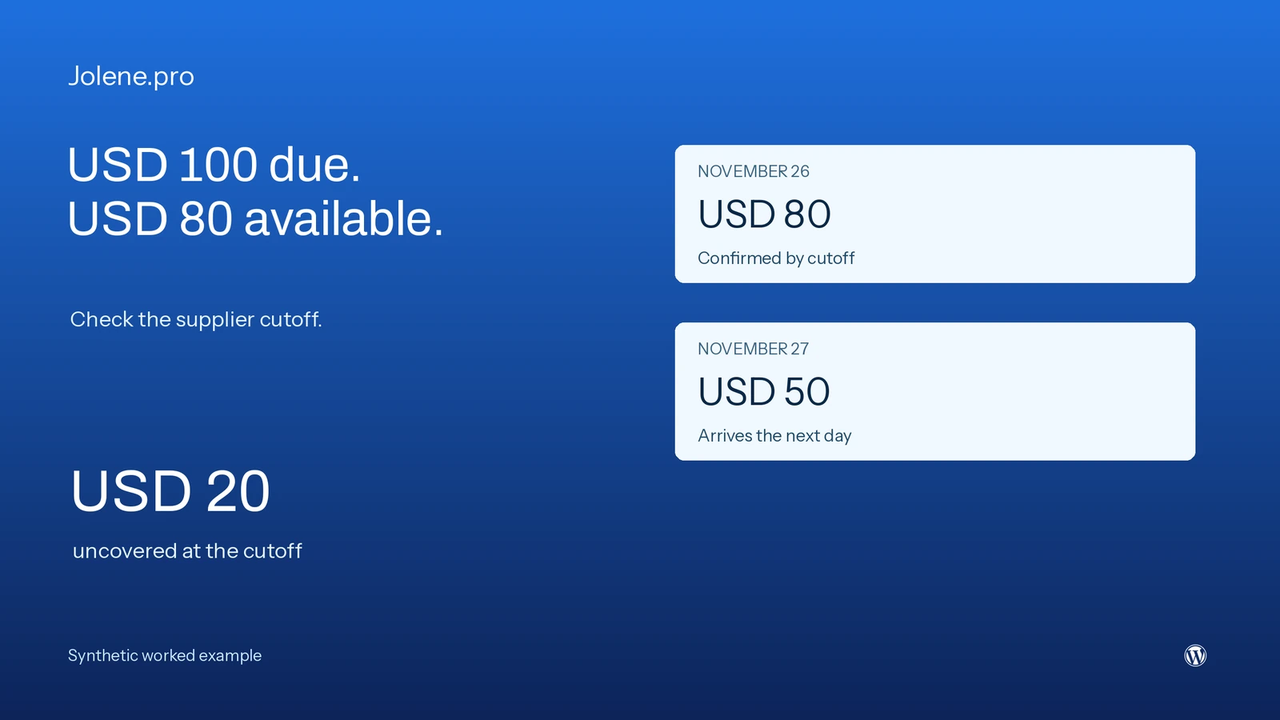
A forecast can show enough money for the week while a supplier payment still falls short on Thursday. Compare the required amount with the cash available by the payment cutoff.
Keep the supplier’s actual terms beside the calculation. Early-payment arrangements can specify a discount window and discounted amount. Zoho’s documentation gives one example of configuring these terms. Your check needs the terms for the particular invoice and payment method. Early-payment discount documentation
Build a dated availability list
This synthetic example uses USD throughout. Create Cash and enter the following table in A1:G4. Enter the dates as Excel dates. Confirmed and Uncommitted contain the literal text Yes or No.
| Cash reference | Amount USD | Available date | Confirmed | Currency | Uncommitted | Evidence reference |
|---|---|---|---|---|---|---|
| A | 80 | 2026-11-26 | Yes | USD | Yes | BANK-A |
| B | 50 | 2026-11-27 | Yes | USD | Yes | BANK-B |
| C | 45 | 2026-11-26 | No | USD | Yes | FORECAST-C |
In Terms!A1:D2, record the supplied deadline and amount.
| Invoice | Cutoff date | Required amount USD | Currency |
|---|---|---|---|
| INV-1 | 2026-11-26 | 100 | USD |
For this date-only example, the recorded cutoff includes qualifying cash available on November 26. A real transfer may need an earlier instruction time. Use the bank’s applicable time zone, settlement timing and the supplier’s receipt deadline when those change availability.
Calculate the amount available by the cutoff
In Terms!E1 enter Available by cutoff. In E2 use the following formula.
=SUMIFS(Cash!$B$2:$B$4,Cash!$C$2:$C$4,">0",Cash!$C$2:$C$4,"<="&B2,Cash!$D$2:$D$4,"Yes",Cash!$E$2:$E$4,D2,Cash!$F$2:$F$4,"Yes")The positive-date condition excludes blanks from the date test. Check that every populated date is numeric with ISNUMBER before accepting the result. Review blanks, text dates, duplicate cash references and conflicting amounts before running the total. This example assumes that each row is a distinct amount available once, with no overlapping balance and receipt rows.
In Terms!F1 enter Shortfall. In F2 enter the following formula.
=MAX(0,C2-E2)The expected result is USD 80 available and USD 20 short. Cash!B2 is the only qualifying amount. B arrives after the cutoff, and C remains unconfirmed.
The two confirmed amounts sum to USD 130 across the longer window. That total answers a different timing question. Keep future amounts visible with their own dates so the reviewer can see why the deadline total is lower.
Check the boundaries before using a real payment list
Change Cash!C3 to November 26 after obtaining evidence for that earlier date. E2 should rise to USD 130 and F2 should fall to zero. Restore November 27 afterward. Mark A as committed elsewhere by changing Cash!F2 to No. The available amount should fall to zero and the shortfall should become USD 100. Restore Yes after the check.
These controls expose whether the comparison respects both timing and available use. Keep other scheduled payments, account restrictions, fees and currency conversion visible in a fuller cash plan. Resolve missing terms or transfer timing before using the result for a payment decision.
In Jolene.pro, ask which confirmed and uncommitted cash rows qualify by the supplied cutoff, how much remains uncovered, and which source cells explain the exclusions. Ask for missing-date and duplicate-reference exceptions before the total. These synthetic calculations were checked independently. A live Jolene outcome for these rows has not been verified.
Try it in Jolene.pro with your own spreadsheet.