Equipment Deployed. Service Still Due.
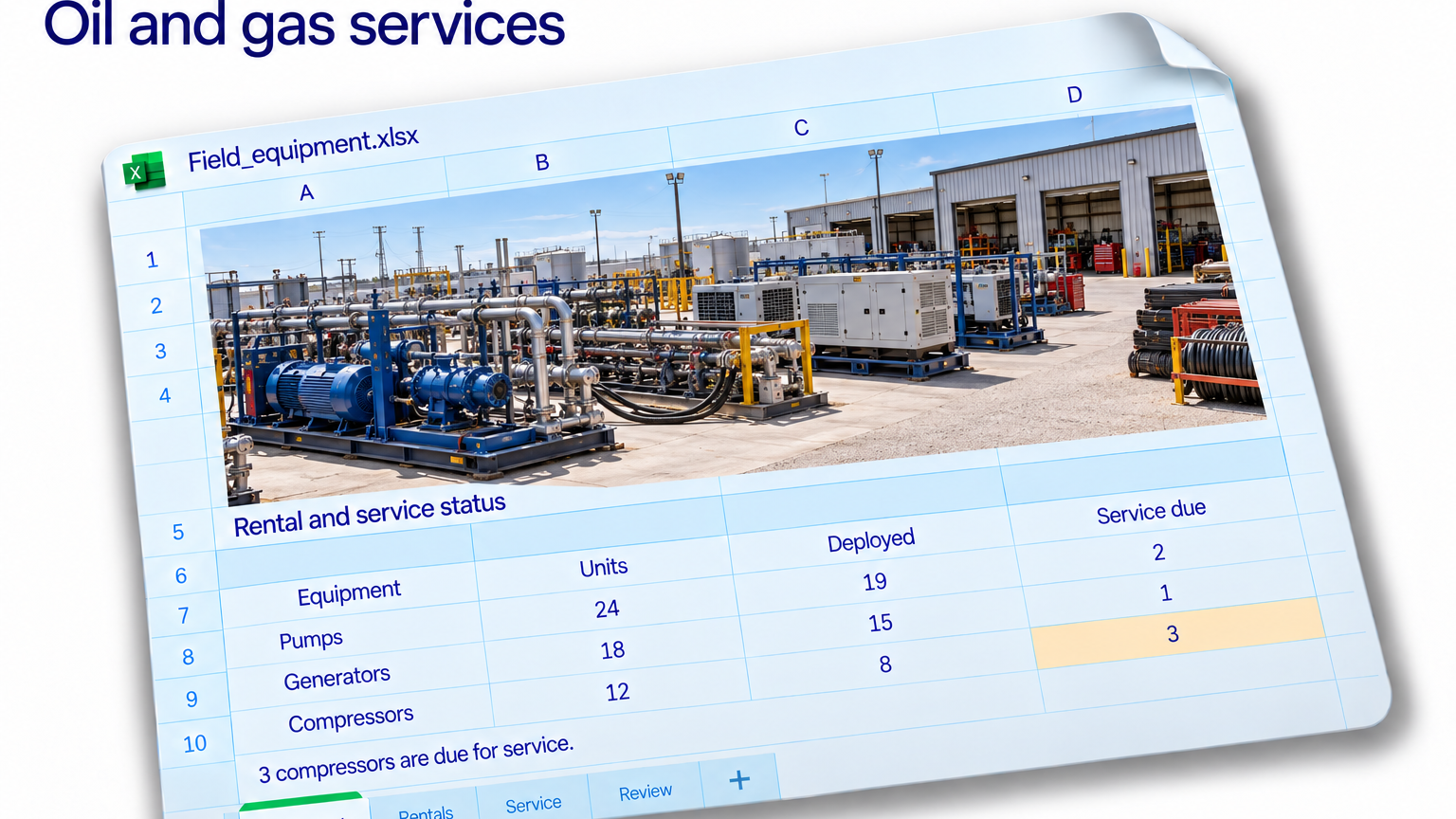
The equipment sheet lists 12 compressors, eight deployed and three due for service. A quick calculation leaves one available. It looks tidy enough to pass straight into a planning meeting.
But the subtraction assumes deployed and service-due equipment are two separate groups. The sheet has not established that. Some of those three compressors might already be among the eight on rental.
Suppose two deployed compressors are also due for service. The two lists then contain nine distinct assets, leaving three outside both groups. That differs from the first calculation, and even those three still need their records checked before anyone calls them ready.
This is a reporting problem hiding inside an equipment count. Deployment describes a commercial assignment. Service due describes a maintenance record. Both can apply to the same asset on the same date.
Two statuses can describe one asset
To investigate, connect the equipment register, rental records and service schedule using the individual asset ID. Keep the reporting date explicit. A rental ending next week and a service date last month cannot be interpreted properly without that reference point.
Create combinations you can inspect: deployed and service due, deployed with no recorded service flag, and off rental with service due. Keep missing maintenance information separate from a confirmed current record. A blank cell has never completed a service.
Review overlapping rental periods as well. An asset can appear twice because two bookings overlap, because a return has not been recorded, or because the export contains an amendment. Each possibility calls for a different correction.
With Jolene.pro, ask: “Match rental and service records to the equipment register by asset ID as of the reporting date. Show deployed assets with service-due flags, overlapping rental periods and missing status information. Reference the source cells.”
Inspect the listed records, then take the flagged assets to the people responsible for rental planning and maintenance. The workbook helps identify conflicting information; those teams confirm the equipment’s operational status and the next action.
Save the analysis and rerun it when the updated rental and service files arrive. Check any structure warning before comparing the new result with the previous one.
You can explore related rental and operations exercises in the Jolene.pro dataset catalogue. The habit to carry back to your own workbook is simple: count distinct assets and inspect overlapping statuses before promising availability.