Last Month’s Trips Don’t Tell You Which Truck Is Ready Today
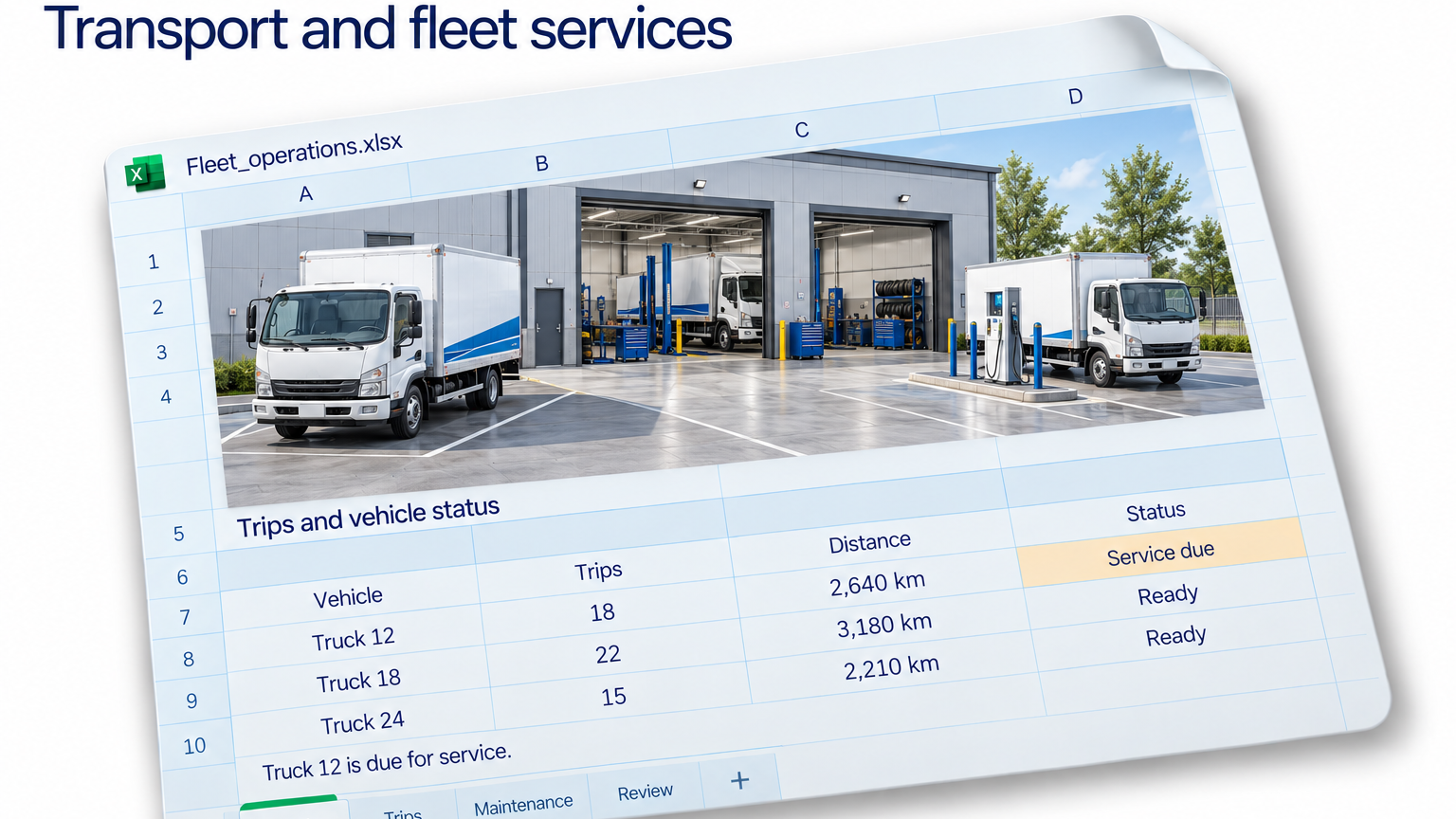
Truck 12 completed 18 trips and covered 2,640 kilometers. Beside those totals, the spreadsheet says “Service due.” Someone reviewing the fleet report asks whether the vehicle should have been working at all.
The sheet cannot answer that question from those columns alone. The trips describe activity over a period. The status might describe the vehicle at the end of that period, or the latest update when the file was exported.
A truck can complete its September assignments and become due for service afterward. It could also have carried an earlier service flag. Those are different situations, and a current status cell cannot reconstruct the history between them.
The first task is to establish what each date means. When did the trips happen? When was the status recorded? When did the service become due? When was any completed maintenance entered? A file’s download date answers none of those questions by itself.
Give every status a date
Keep the trip table at one row per trip and the maintenance history at one row per recorded event. Connect both through vehicle ID. Preserve the timestamps instead of replacing earlier statuses with whatever the latest export happens to show.
For a historical review, compare each trip with the relevant dated records. If the workbook contains only today’s status, identify that limitation and request the missing history. Otherwise, the report may quietly apply today’s information to last month’s decisions.
For the next schedule, use a current, dated status extract and have the fleet team confirm unresolved flags. Do not treat last month’s completed work as evidence of present availability. A busy history is excellent at describing yesterday.
With Jolene.pro, ask: “Summarize trips and distance for the reporting month. Compare vehicle IDs with dated maintenance records. Separate current service flags from flags recorded during the trip period, and show where dates are missing.”
Inspect the source references for vehicles requiring follow-up. You can also compare distance per trip or recorded maintenance spending, while keeping vehicle types and reporting periods consistent. Save the analysis to repeat those checks on the next workbook.
The fleet exercises in our free dataset catalogue offer a starting point for working with related vehicle, trip and maintenance tables. Use your own dated status history for this specific timing check.
The useful report makes the dates visible before a reader has to ask which “ready” the spreadsheet means.