The Xero credit amount matched. Did it reach the right contact?
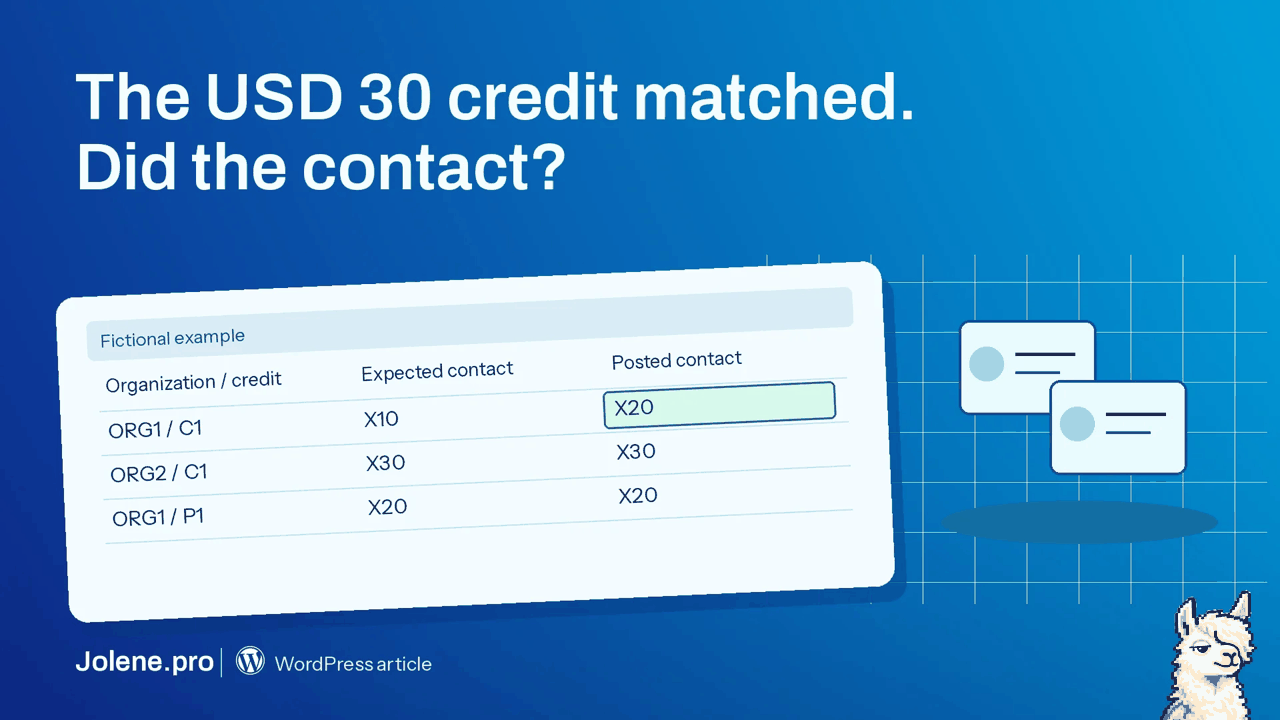
A completed credit can have the right amount and reach the wrong contact. In the fictional example, ORG1 credit C1 is USD 30 in both systems, but the approved contact map says X10 and the posted record says X20. A credit with the same reference in a second organization matches there.
How to check your records
- Keep the organization and document reference together. Confirm that this combination identifies one document in each export. Preserve the transaction type and amount so a prepayment and credit with similar references can be distinguished.
- Record the expected destination contact ID from an approved crosswalk. Check that the map belongs to the correct organization. A duplicate display name needs independent ID evidence.
- Compare expected and observed contact IDs only where the destination capture is complete and the approved map exists. Record otherwise comparable amounts separately from the ID result.
Worked example with fictional records
Import each example CSV into its own spreadsheet tab. Keep the original row order and headers for the cell references below.
| Finding | Record or amount | Cells to check | What the records show |
|---|---|---|---|
| Contact mismatch | ORG1/C1. USD 30 ties | Crosswalk!A2:D2, Upstream!A2:E2, Posted!A2:D2, Scope!A2:C2 | X10 expected and X20 posted. |
| Confirmed matches | ORG1/P1 and ORG2/C1 | Crosswalk!A3:D4, Upstream!A3:E3, Upstream!A6:E6, Posted!A3:D3, Posted!A5:D5 | Each destination ID agrees within its own organization. |
| Map missing | ORG1/C2. Open | Upstream!A4:E4, Posted!A4:D4 | The source contact lacks an approved mapping. |
| Incomplete capture | ORG1/C3. Open | Upstream!A5:E5, Scope!A5:C5 | A missing destination row cannot be interpreted yet. |
What to review before acting
Cin7’s release says it sends the known Xero ContactID and falls back to the name when the contact has not synced. Before applying the check, verify that you can obtain the destination document and its contact ID from authorized records. Review corrections in the source systems.
Download the fictional practice files
Copy the practice data
| source_contact | xero_contact | display_name | org |
|---|---|---|---|
| S1 | X10 | Oak Supplies | ORG1 |
| S2 | X20 | Oak Supplies | ORG1 |
| S1 | X30 | Oak Supplies | ORG2 |
| id | xero_contact | amount_usd | org |
|---|---|---|---|
| C1 | X20 | 30 | ORG1 |
| P1 | X20 | 20 | ORG1 |
| C2 | X20 | 15 | ORG1 |
| C1 | X30 | 30 | ORG2 |
| id | org | complete |
|---|---|---|
| C1 | ORG1 | yes |
| P1 | ORG1 | yes |
| C2 | ORG1 | yes |
| C3 | ORG1 | no |
| C1 | ORG2 | yes |
| id | source_contact | amount_usd | type | org |
|---|---|---|---|---|
| C1 | S1 | 30 | credit | ORG1 |
| P1 | S2 | 20 | prepayment | ORG1 |
| C2 | 15 | credit | ORG1 | |
| C3 | S1 | 12 | credit | ORG1 |
| C1 | S1 | 30 | credit | ORG2 |
Find more spreadsheet practices and workbook studies.