How to Find Cycle Count Variances by Bin in Excel
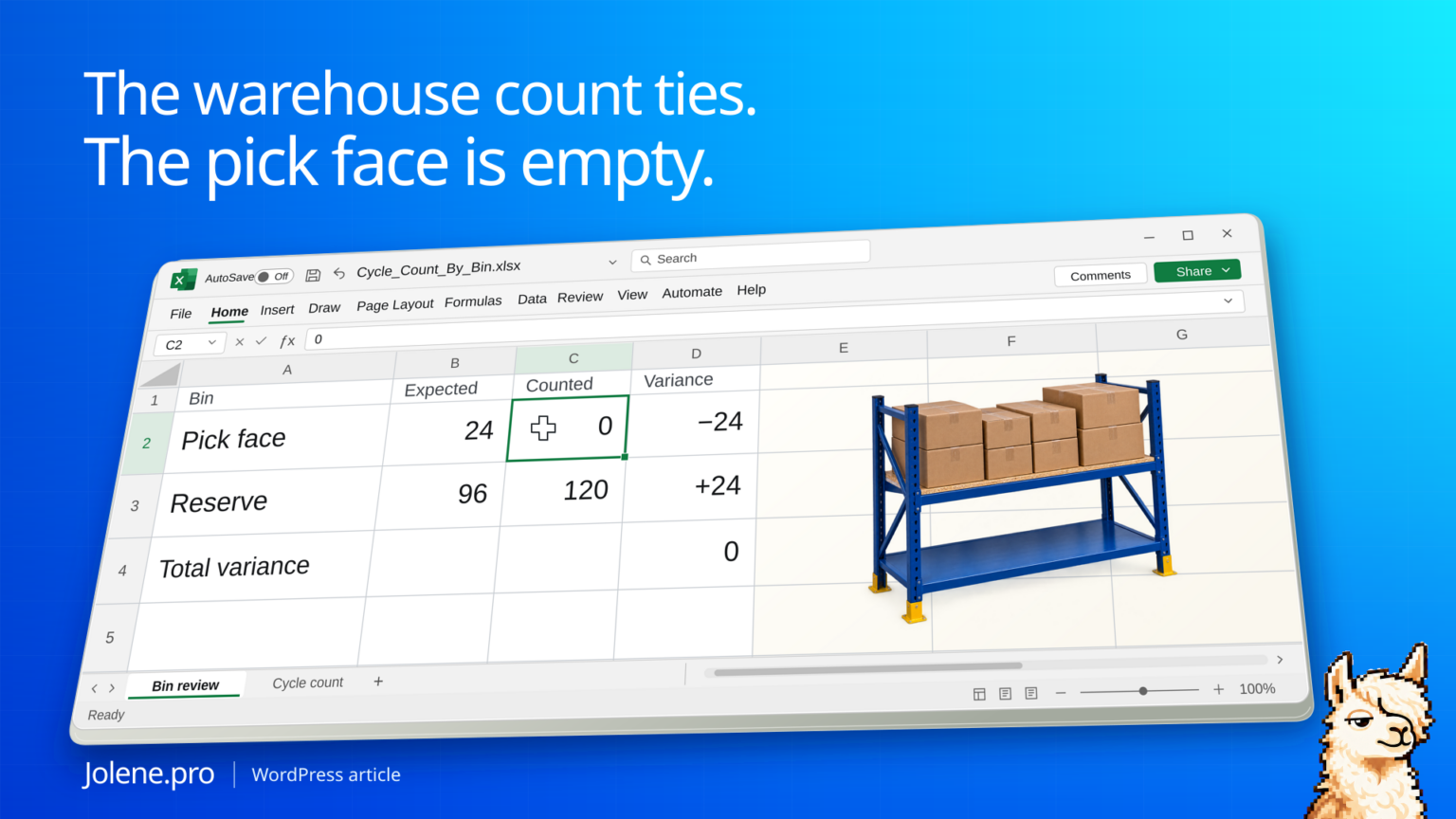
The warehouse total ties at 120 units. The pick face is empty and the next wave is about to release. The missing units show up in reserve. A warehouse-level balance can be exactly right while the picker is standing at the wrong bin.
Compare system and counted quantities by SKU, location and bin. Use a common cutoff and convert quantities to the same unit before deciding whether to recount, correct a move, or review a stock adjustment.
The two bins behind the zero difference
Both counts are for the same SKU, lot and ownership status. Quantities are in eaches.
| Bin | System units | Counted units | Variance |
|---|---|---|---|
| P-04 pick face | 24 | 0 | −24 |
| R-18 reserve | 96 | 120 | +24 |
| Warehouse total | 120 | 120 | 0 |
Recount both locations and look for an unposted move or a bin assignment issue. The offset is a lead. It doesn’t establish what physically happened.
Try the two-bin check in Excel
Use a blank sheet named Bin Review. Paste this tab-separated teaching extract into A1. These are synthetic, reconciled rows for one SKU, warehouse, lot, ownership status and common cutoff, all in eaches. Each bin appears once. This is not a raw WMS export.
Location	SKU	Bin	SystemUnits	CountedUnits
WH-01	SKU-100	P-04	24	0
WH-01	SKU-100	R-18	96	120
Put Variance, AbsoluteVariance and Action in F1:H1. Enter these formulas in row 2 and fill down to row 3. Source quantities must be nonnegative numeric counts, with no cell errors. Blank or text quantities require review. A numeric zero is a completed zero count.
F2 =IF(AND(ISNUMBER(D2),ISNUMBER(E2),D2>=0,E2>=0),E2-D2,"Review input")
G2 =IF(ISNUMBER(F2),ABS(F2),"")
H2 =IF(ISNUMBER(F2),IF(F2=0,"Agrees","Recount"),"Review input")
Bin Review!F2 is -24, from E2-D2: the pick face has zero counted against 24 expected. F3 is +24, from E3-D3: reserve has 120 counted against 96 expected. G2 and G3 are each 24. H2 and H3 both say Recount.
Keep the net total and the bin differences
| Label in column J | Formula in column K | Expected |
|---|---|---|
| J2: Valid bin counts | =COUNT(F2:F3) | 2 |
| J3: Net unit variance | =IF(K2=2,SUM(F2:F3),"Incomplete") | 0 |
| J4: Sum of absolute bin differences | =IF(K2=2,SUM(G2:G3),"Incomplete") | 48 |
| J5: Bins to recount | =COUNTIF(H2:H3,"Recount") | 2 |
Enter the four formulas in K2:K5 respectively. Both source columns total 120, but two bins need review. The absolute sum of 48 measures disagreement across two bin records. It is not 48 missing physical units. The opposite 24-unit differences could be consistent with a move, but they do not prove one occurred.
Check the blank boundary: clear E2 temporarily. F2 and H2 must say Review input, K2 must become 1, and K3/K4 must say Incomplete. Restore numeric 0 in E2: K2 returns to 2, K3 to 0 and K4 to 48. A missing count must not silently become zero. K5 counts known nonzero differences only; it does not replace the completeness check.
Before using real exports, select the approved count or recount per location/SKU/bin/lot/status and cutoff. Do not add an original count to its recount. Align system quantities to that cutoff and convert units before comparing. This exercise does not authorize stock adjustments or establish why the discrepancy happened.
Ask Jolene.pro: “Using this count cutoff, which SKU totals agree while their bin quantities differ? Separate missing counts from counted zero. Show each system quantity, counted quantity, difference and source cell. Do not assume that opposite differences prove a transfer.” The expected result here is P-04 and R-18 for review, a zero net variance and two nonzero bin differences.
The synthetic arithmetic and blank-count logic were checked independently in Python. Native Excel recalculation and a live Jolene.pro result could not be verified. See Microsoft’s IS functions and physical inventory count guidance for numeric checks and count-record matching. For a related location problem, see inventory transfers shipped but not fully received.
Compare at the count’s grain
Export WMS inventory by bin and add the cycle count entries. Match on location, bin, SKU and lot or status where relevant. Preserve count timestamp, counter entry reference and system quantity at the matching cutoff. Blank or uncounted bins need a different flag from counted zero.
Identify offsets without erasing the differences
Filter to nonzero bin differences and look for opposite signs on the same SKU. Confirm whether real movements occurred between the snapshot and count. Check units of measure if one report uses cases and the other eaches.
Build the recount list for the next shift
Include both locations and the replenishment priority so the lead can deal with an empty pick face first.
Which SKUs have zero variance in total but nonzero variances by bin? Show the paired locations, quantities, count times and source rows.
Verify the physical location and move record before requesting an authorized inventory correction.
Oracle WMS cycle counts and inventory
The figures and identifiers in this example are synthetic. The displayed arithmetic was checked independently. A live Jolene.pro result could not be verified.
Try this with your own spreadsheet at Jolene.pro. Follow Jolene.pro on LinkedIn for more spreadsheet guides.
For more checked examples, see Jolene.pro Workbook Studies.